The short answer
Turn TikTok views into store visits by matching one useful demonstration to one relevant offer, preparing the public product page and testing a link route available on your account. Record visits separately from confirmed orders: reach alone does not prove buying intent.
Choose one destination
First, choose one offer that matches your video. If you're showing a presentation tip, link to the template or service behind that tip, not a random list of everything you sell. Use the PowerPoint template from our example.
A short presentation tip might show how a clear problem slide helps an audience understand an idea. The matching destination is the business pitch template, not an unrelated coaching offer. Write down the sentence connecting them: this template contains the structure demonstrated in the video.
If that sentence is difficult to write, the content and offer may be too far apart. Fix the match before changing the button text or adding more links.
Prepare the public page
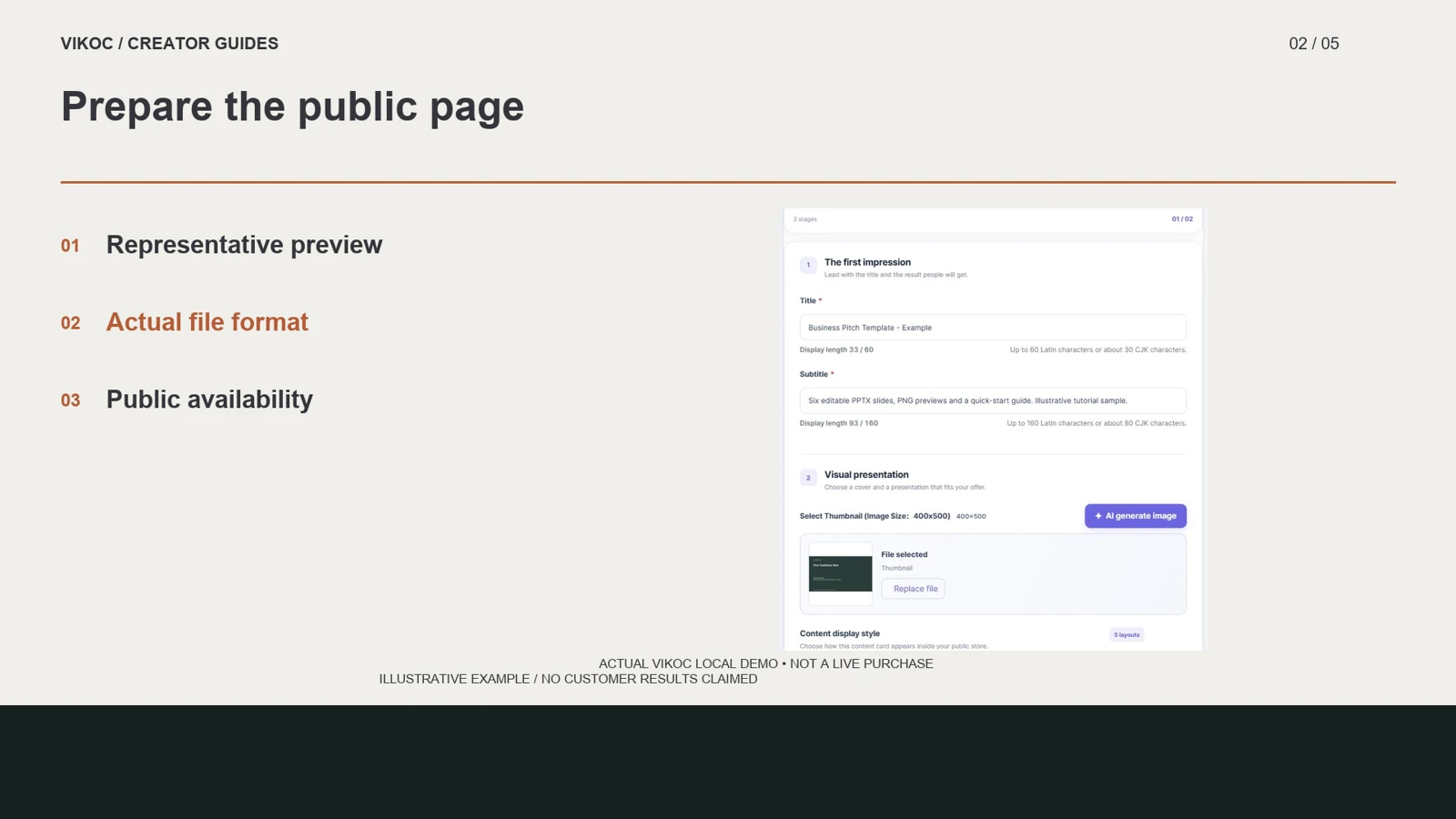
Second, make sure the product page is ready: a clear preview, the price, what buyers receive, and a working next step. Open the destination without relying on the creator editor. A useful page identifies the template, shows representative slides, names the editable format, and explains the package.
An editor preview alone does not prove that visitors can buy it. Review visibility, any approval status, and the intended price. If the public page differs from your settings, resolve that before promotion.
Check the actual address you intend to share; a dashboard address is not a customer-facing product link.
Separate platform entry points
Third, use the link method your TikTok account actually supports, and test the whole journey on your phone. TikTok controls and VIKOC controls are different surfaces. A supported connection inside VIKOC does not place a universal checkout button on every TikTok video.
Check the link options your own account exposes and follow current official guidance. If an eligible profile website field is available, the call to action should describe that route. If it is not available, do not show a fabricated field or pretend the path was tested.
Keep your wording aligned with what a viewer can really do.
Keep a small link checklist
Make a short record for the offer you will promote. Give it a descriptive name, save the public destination, and note the video that introduces it. Record the available entry method separately, such as an eligible profile link or another supported route.
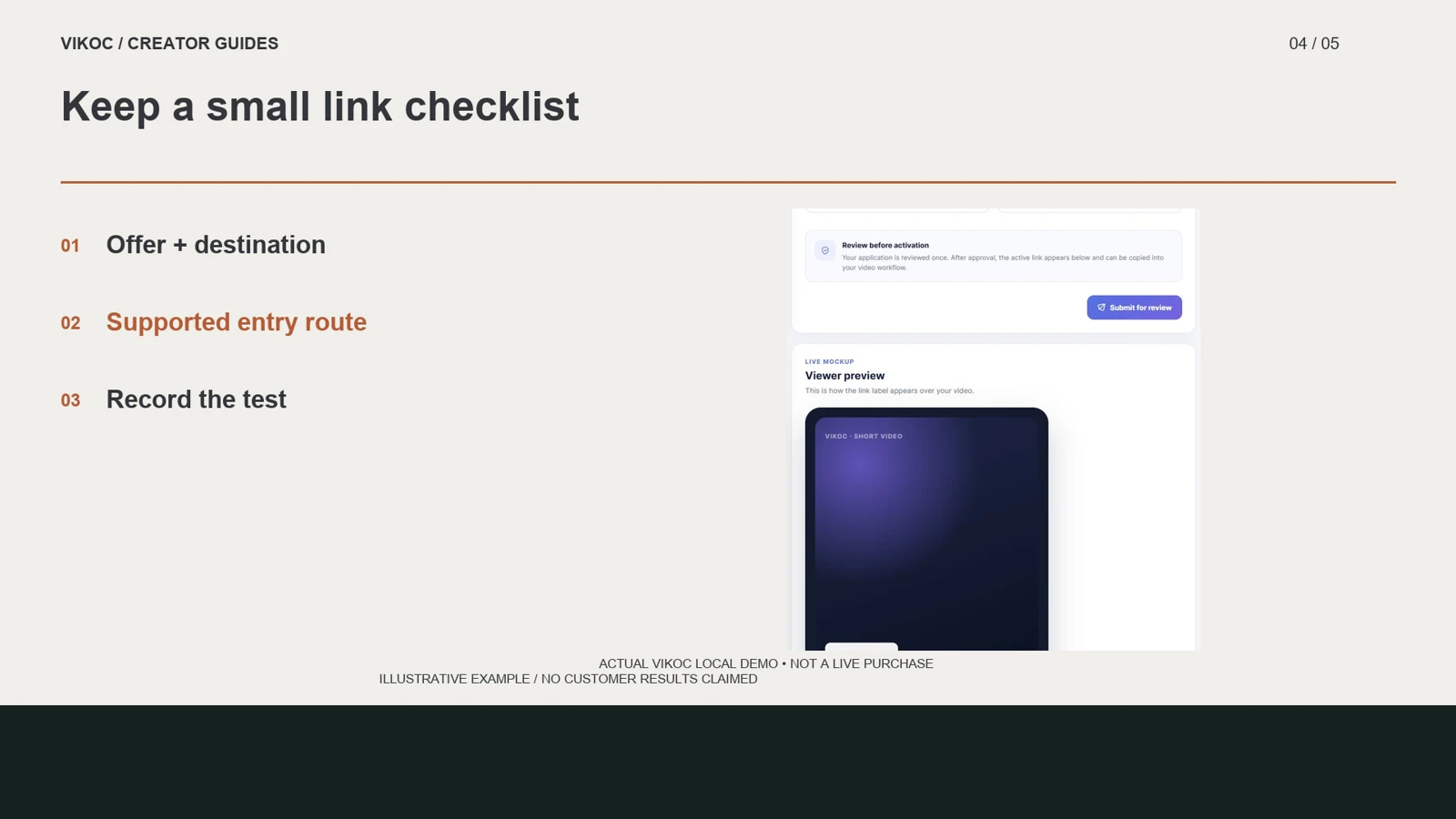
In VIKOC, the Video links screen shows an application and review process; an application is not an active destination. Confirm the result in the account before telling viewers where to tap. Keep private editor links out of public copy.
Finally, note whether the route was tested on a real phone or only inspected in a browser. Those are different levels of evidence. The demonstration here explains the checks without claiming that a TikTok account has already been approved.
Run a visitor test
Use a phone and begin at the actual public entry point. Follow the same steps a viewer would follow, then confirm the destination title, preview, price, and next action. Test again after changing the address.
Record the date and the result so that a broken or retired offer can be found later. Measure store visits separately from purchases, using only data your tools actually provide. No numbers shown in a teaching diagram should be mistaken for your account analytics or a sales forecast.
Try it with one real offer
Connect a short presentation tip to its matching pitch-template page. Record the public URL, available link method, date checked and result of a phone test. Confirm that the destination shows the same template.
Common questions
Does a VIKOC video connection add checkout to every TikTok video?
No. VIKOC connection controls and TikTok account link options are different. Check both actual account surfaces and do not describe an application awaiting review as an active link.
How should I verify this in my own VIKOC account?
Compare the available controls with the offer you intend to deliver. Review the public destination as a visitor and record which setup, payment or delivery steps were actually tested. A local demonstration is not proof of a completed customer transaction.
Official references
Reviewed 25 October 2026. Account eligibility and terms can change; verify the current documentation and your own configuration.