The short answer
Turn TikTok viewers into store visitors by demonstrating a task your product solves, matching the destination to that demonstration and testing an available public link on a phone. Relevant visits depend on a clear audience and next step; video views alone do not establish buying interest.
Start with the right viewer
Start with the person who might actually use your product. Our example is a cafe owner preparing a weekend brunch. They need a readable promotion, not a lecture about graphic design.
Make a short video that solves one part of that problem. Show a weak poster, explain why the date is hard to find, and demonstrate a clearer version. A useful example gives the right viewer a reason to keep watching.
Match the promise to the product
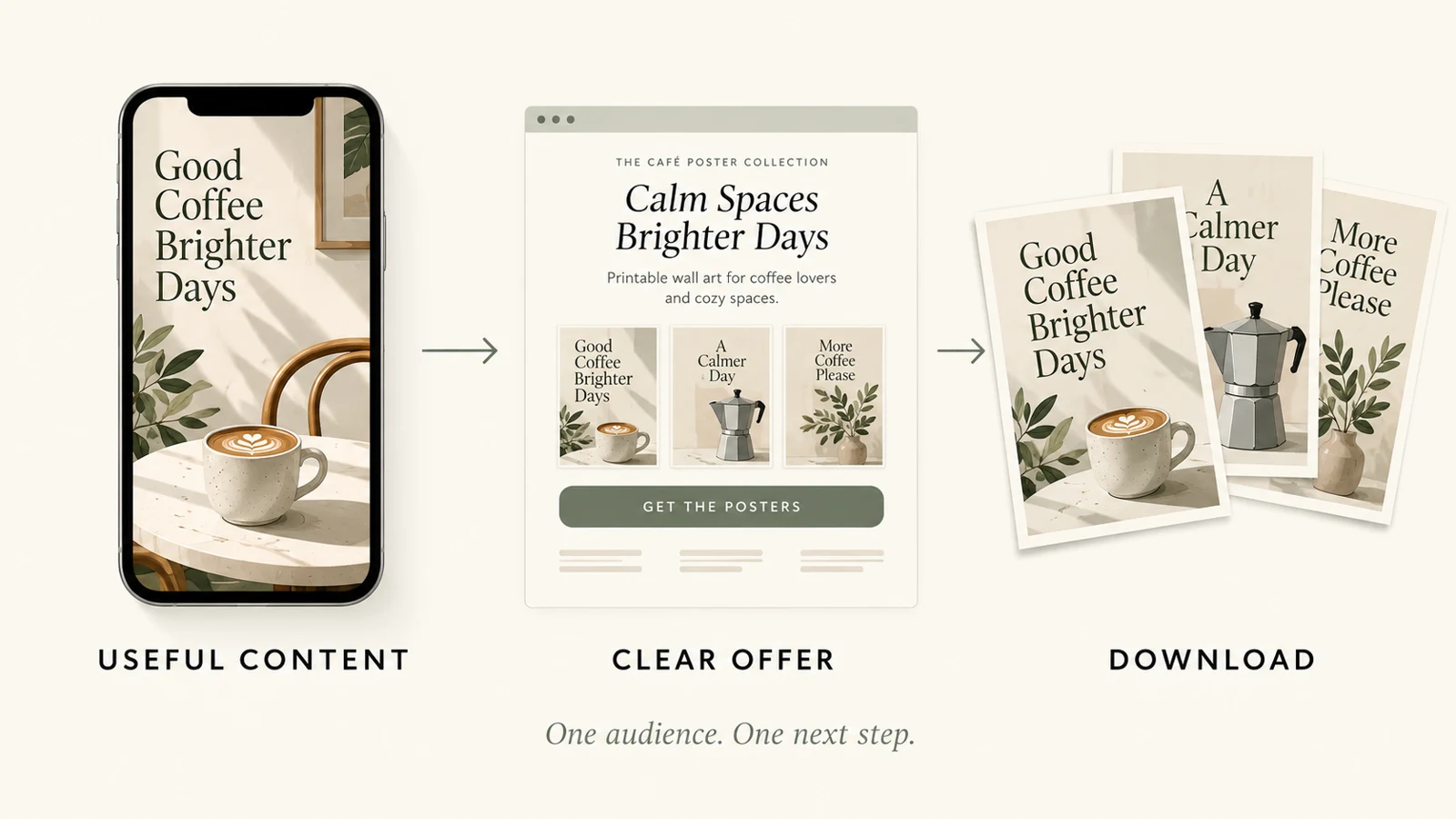
Now connect the demonstration to the offer. If the video teaches a brunch poster layout, the destination should show that poster pack. Avoid sending people to an unrelated collection.
Keep the same example, wording and visual style across the video and page. You can say: Want the editable brunch layout? Explore the cafe poster pack through the available link on my profile.
This explains both the benefit and where to go, without promising a sale.
Check your actual link options
Before recording that call to action, check your actual TikTok profile. Website-link eligibility depends on account requirements and feature availability. Review the current TikTok Help Center and the options shown in your account.
Do not assume that switching account types automatically unlocks a website field. If you do not have a usable link, change the instruction instead of telling viewers to tap something that is missing. The important test is simple: can another person follow the route you describe?
Make the destination recognizable
Your destination should confirm that the viewer arrived in the right place. In your VIKOC store, give the poster pack a clear name, show a matching preview, and explain what is included. If you link to the storefront, make that offer easy to find.
If your available link supports a direct product destination, test that page as well. Choose the route that gives the visitor enough context with fewer unnecessary decisions.
Walk the route on a phone
Test the complete route on a phone, ideally as a visitor who is not signed into your creator account. Start at the public profile, open the link, and find the product. Check that the title is readable, the previews load, and the page explains the files and editing requirements.
Then inspect the next action. A working page does not prove a successful purchase, so describe only the steps you have actually checked. Fix confusing detours before promoting the video.
Learn where viewers stop
After publishing, separate the stages. Video views tell you about exposure. Store visits tell you whether people followed the next step.
Product interest and purchases answer different questions again. Use the metrics you can actually access, and avoid treating every view as a potential customer. If views rise but visits do not, review the audience and call to action.
If visits rise but interest stays low, review the match between the video promise and the page.
Try it with one real offer
Map one brunch-poster demonstration to the matching poster offer. Write the intended viewer, the problem shown, the available route and the first thing the visitor should recognize on arrival.
Common questions
Do more TikTok views automatically mean more customers?
No. Views measure exposure. Relevant store visits, product interest and confirmed purchases describe different stages and must be evaluated separately.
What if my account does not offer a clickable website link?
Check the current account controls and official TikTok guidance. Use only a route you can actually provide and test; do not tell viewers to tap a missing control.
For current profile-link options, consult TikTok’s official profile-link guidance and the controls available in your account.