The short answer
Promote digital products on TikTok by demonstrating one useful result for a specific viewer, then directing interested people to a matching offer through a link option available to your account. Evaluate relevant visits and questions as well as views.
Pick one viewer and one moment
Imagine a café owner who needs to promote weekend brunch. That is a more useful starting point than trying to reach everyone interested in design. Pick one situation the product solves.
For this example, focus on creating a clear event announcement with a consistent look. The video should show that task from the viewer's point of view, using the real files and the actual editing workflow available to the buyer.
Write a hook you can prove
Open with a concrete problem or result. For example: Need a clear poster for your café's weekend brunch? Then immediately show the design.
Avoid an unsupported promise such as guaranteed customers or ten times more sales. If you claim a task takes a specific amount of time, measure it. A hook is stronger when the following frames can visibly support it, rather than relying on a dramatic claim.
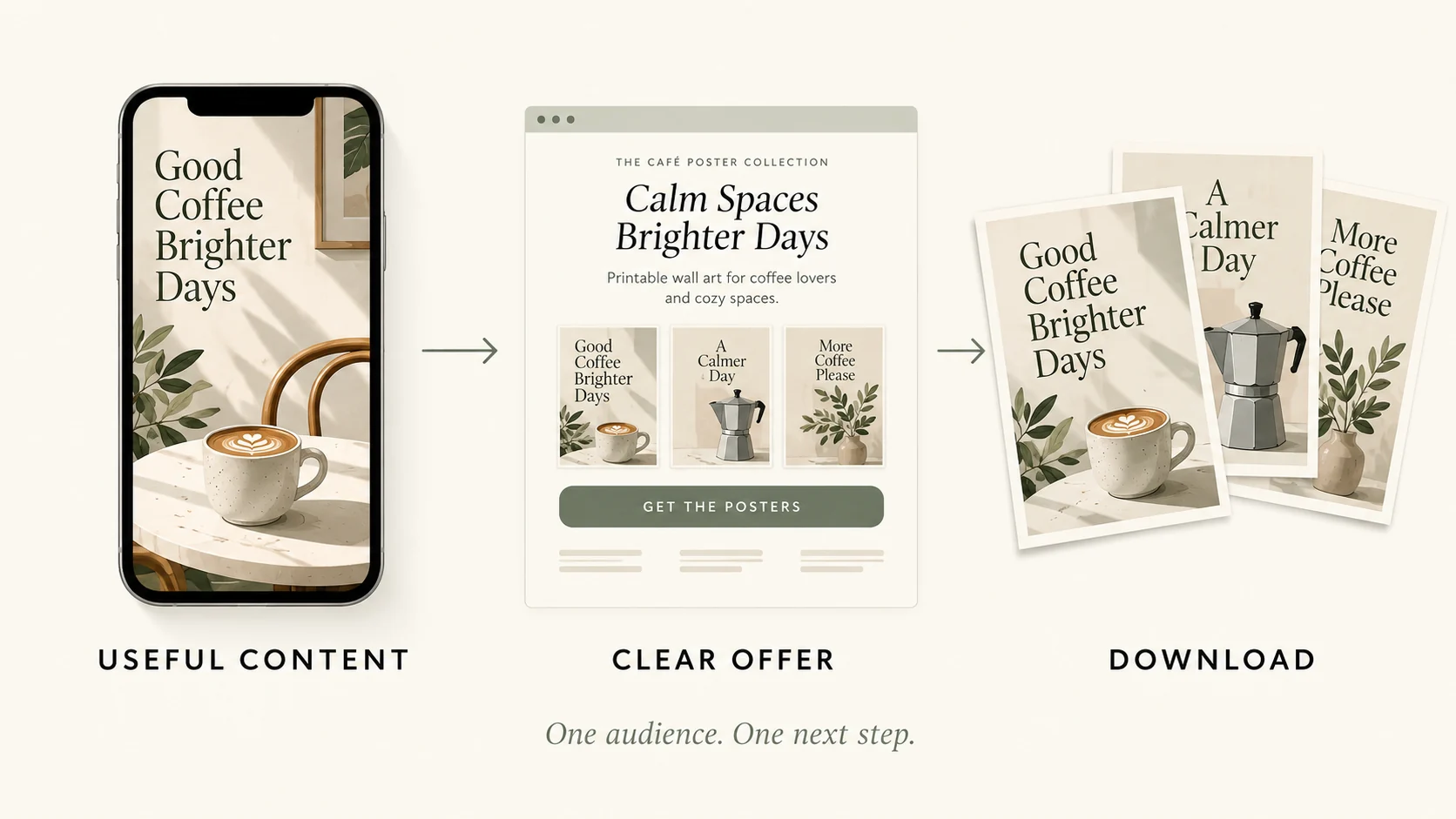
Plan a short three-part demo
Here is a simple twenty-second structure to test. Use the first three seconds to show the result and name the problem. In the middle, demonstrate one useful detail, such as a readable event headline or the coordinated designs in the pack.
Finish with one next step. These timings are an editorial starting point, not a platform rule. Adjust them after watching the finished video at normal speed.
Match the demonstration to the files
Be precise about what the buyer receives. Our example pack contains PNG previews and editable SVG source files. Do not show a Canva editing workflow and imply a working Canva template link is included unless that link is actually part of your product and has been tested.
If the video demonstrates an editable file, show the compatible software and the change you made. The product page and the video should tell the same story.
Make it readable on a phone
Build the promotional clip for a vertical screen. Make the poster detail large enough to read, use short captions, and keep important text away from interface overlays. Watch it once without sound to see whether the main idea still makes sense.
Then watch with sound to check that the spoken line matches the visible action. Use audio you are allowed to use for your account and commercial purpose.
Give a truthful next step
Your call to action should match the link options available to your account and region. If your profile supports a website link, point it to the matching VIKOC product or store page and test the destination on a phone. Do not assume every account can add the same clickable links.
If you cannot provide the promised path, change the call to action. Avoid saying tap here when there is nothing tappable in that position.
Improve one variable at a time
After publishing, compare a small number of versions with one meaningful difference, such as the opening line or the first product shot. Review the metrics your account actually provides over comparable periods. Views alone do not show that people understood the offer or bought it.
Look for the point where interest drops off, and improve that part of the journey. Keep a simple record, and do not invent attribution when a purchase cannot be linked reliably.
Try it with one real offer
Storyboard three shots: the café owner’s event-promotion problem, a poster being customized, and the final design. End with one accurate next step that your actual profile supports.
Common questions
Do more TikTok views always mean more customers?
No. A broad audience may have little need for the product. Match the demonstration, intended buyer and linked offer before interpreting view counts.
Can every TikTok account add the same website link?
Do not assume so. Check the current options and eligibility in your own account and region, then write a call to action that matches what visitors can actually do.