
The short answer
Fitness coaches can organize a planning workbook, personal feedback and live coaching as separate offers. Name the audience, actual deliverables, preparation and support for each. Use representative sample pages and verify the public delivery route before promotion.
Start with one audience
Some followers want a plan they can use on their own. Others want personal feedback. And some are ready for one-on-one coaching.
Those are three different needs. Imagine a coach whose audience includes people preparing for their first gym visit. The downloadable example could be a planning workbook with space for goals, availability, and questions to discuss with a qualified trainer.
It is a product outline, not a personalized exercise prescription. Give it a narrow purpose. A person choosing a self-guided resource needs to know how much independent work is involved.
Someone choosing individual support needs to know what the coach actually reviews.
Show the sample contents
Start with one useful planning workbook. Make it clear who it's for, what the plan includes, and what someone should expect. Then define a coaching package: the session length, the format, and what support is included.
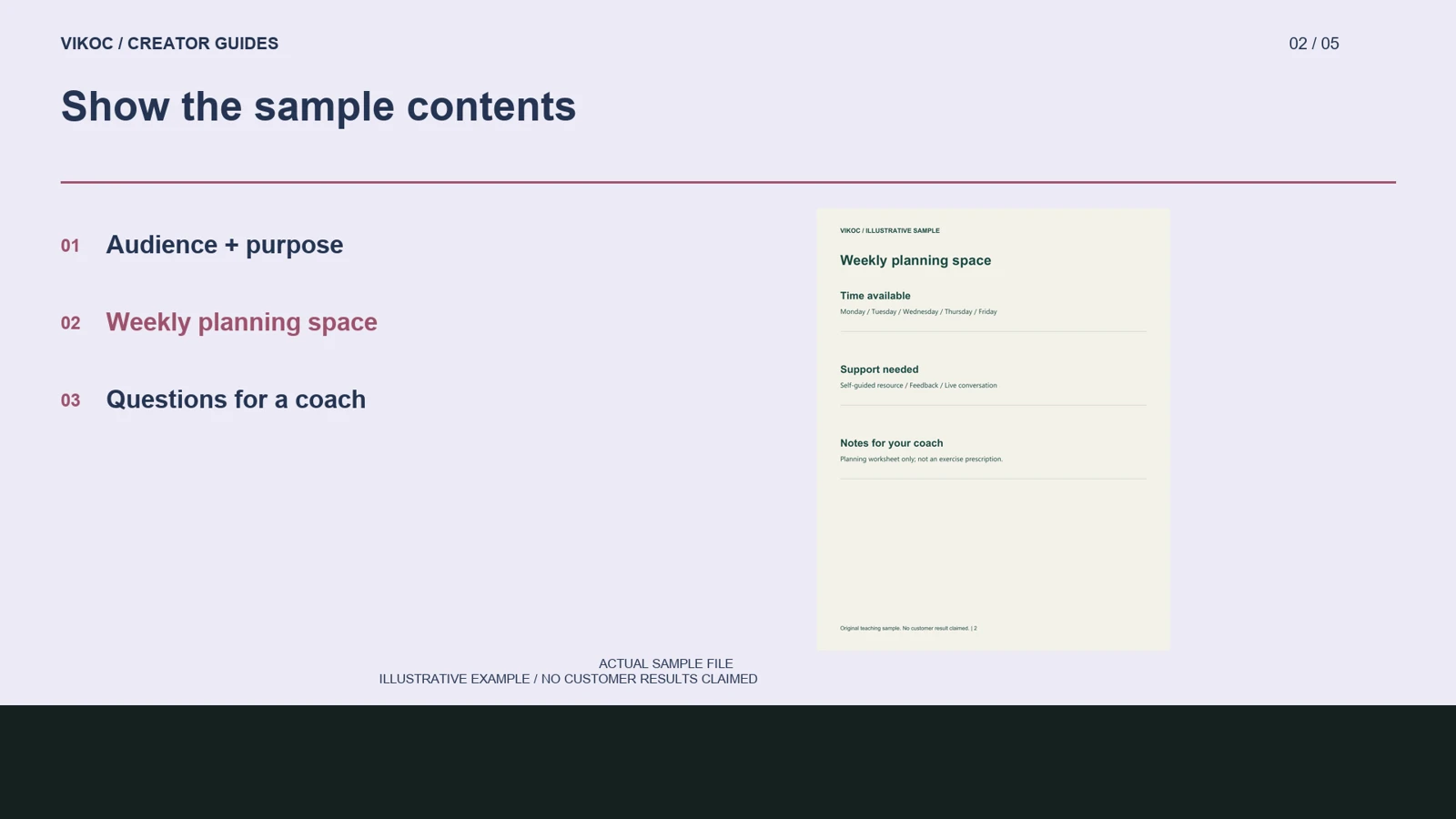
Open the sample before writing the sales page. The first page identifies the intended audience. The next gives a weekly planning layout, and the last helps the buyer prepare questions for a session.
Use a contents preview that shows these actual pages. Do not fill it with dramatic transformation photographs or imply a result that the workbook cannot guarantee. Describe whether the file is printable, editable, or intended for reading on a screen, and test that format before offering it.
Define the human service
The details matter more than the number of products. For the coaching offer, explain how the conversation takes place and how long it lasts. Separate the session itself from preparation and follow-up.
If you review a client submission beforehand, state the format and when it is due. If you provide written notes afterward, define those notes. Make the limits visible as well: a general planning conversation is not a substitute for individualized medical care.
This is an illustrative service structure, not a claim about a particular coach or customer.
Walk through the offer map
Here is a practical way to compare the three options. On the first card, write a downloadable planning workbook, with its pages and file format. On the second, write feedback on a submitted plan, with the number of submissions and the response format.
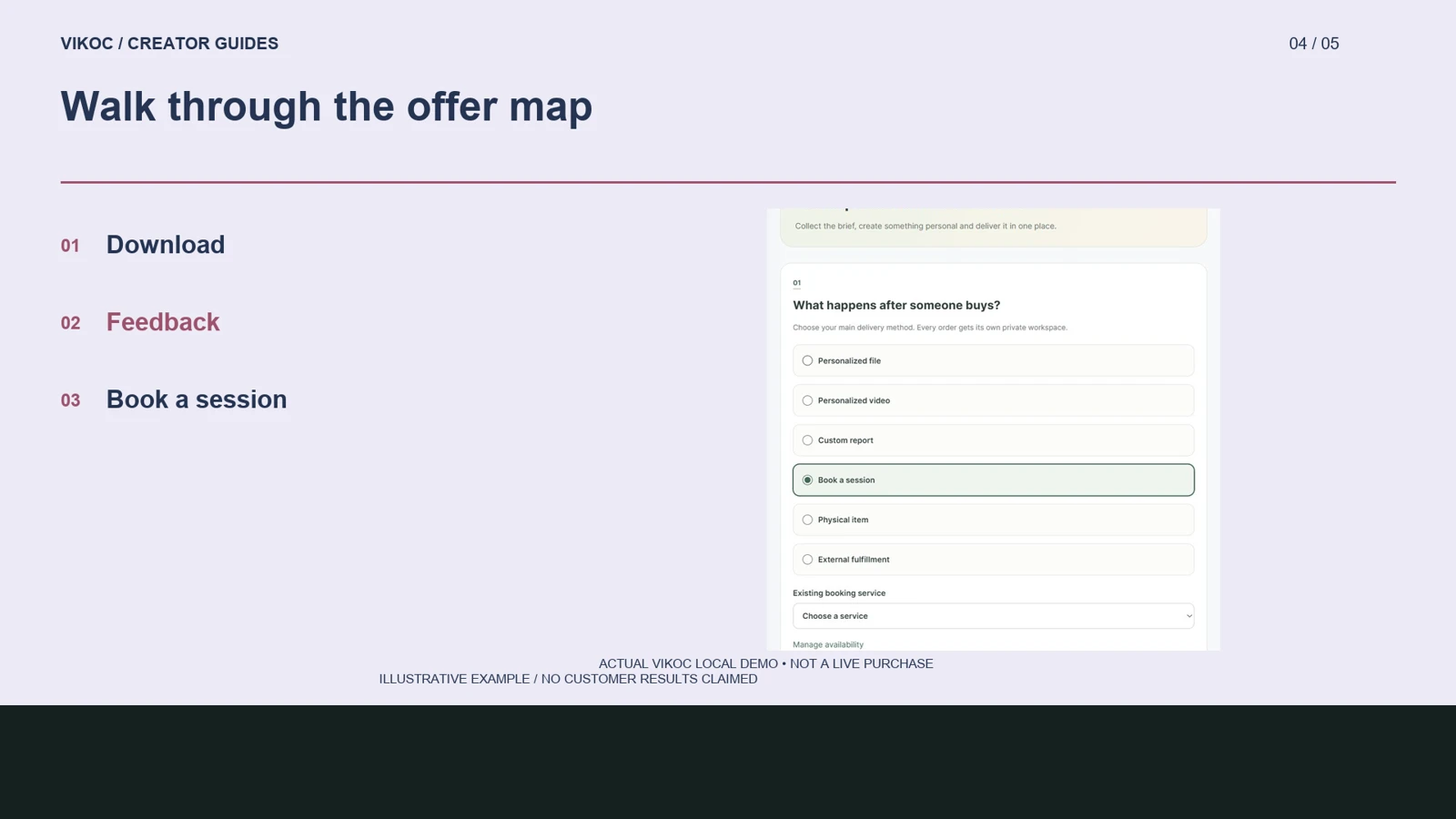
On the third, write a live session, with its duration and preparation requirements. Notice that the same teaching skill supports different amounts of personal involvement. In the creator workspace, choose the format that matches what the customer receives.
The custom-service editor also provides a Book a session delivery option and a link to availability settings. Inspect those controls before promising an appointment. An empty schedule is not a confirmed booking, and an example offer is not sales evidence.
Check the path before promotion
Use the relevant content type in the creator workspace and review the details available in your account. A download and a personalized service should not share an ambiguous description. Before sharing the store, check the public page, any required approvals, and the payment and delivery settings.
Where appointment controls are unavailable, describe a request process accurately rather than drawing a fictional calendar. Then choose a useful social topic that matches one offer. Track visits and confirmed orders as separate signals, not interchangeable results.
Try it with one real offer
Map three offers for one audience: a planning workbook, feedback on one submission and a live conversation. List the file or service delivered, client preparation and timing. Keep exercise or health claims within your actual qualifications.
Common questions
Should a workbook and coaching session share one description?
No. A workbook is a prepared resource; coaching involves personal attention. Explain each delivery separately so buyers know the level of support included.
How should I verify this in my own VIKOC account?
Compare the available controls with the offer you intend to deliver. Review the public destination as a visitor and record which setup, payment or delivery steps were actually tested. A local demonstration is not proof of a completed customer transaction.