The short answer
Set up a digital product store by finishing one usable package, describing its contents and requirements, creating its listing, and checking the public purchase and delivery route. A wedding invitation template is a useful example: buyers need editable files, clear instructions and a preview that matches the actual download.
Start with the actual package
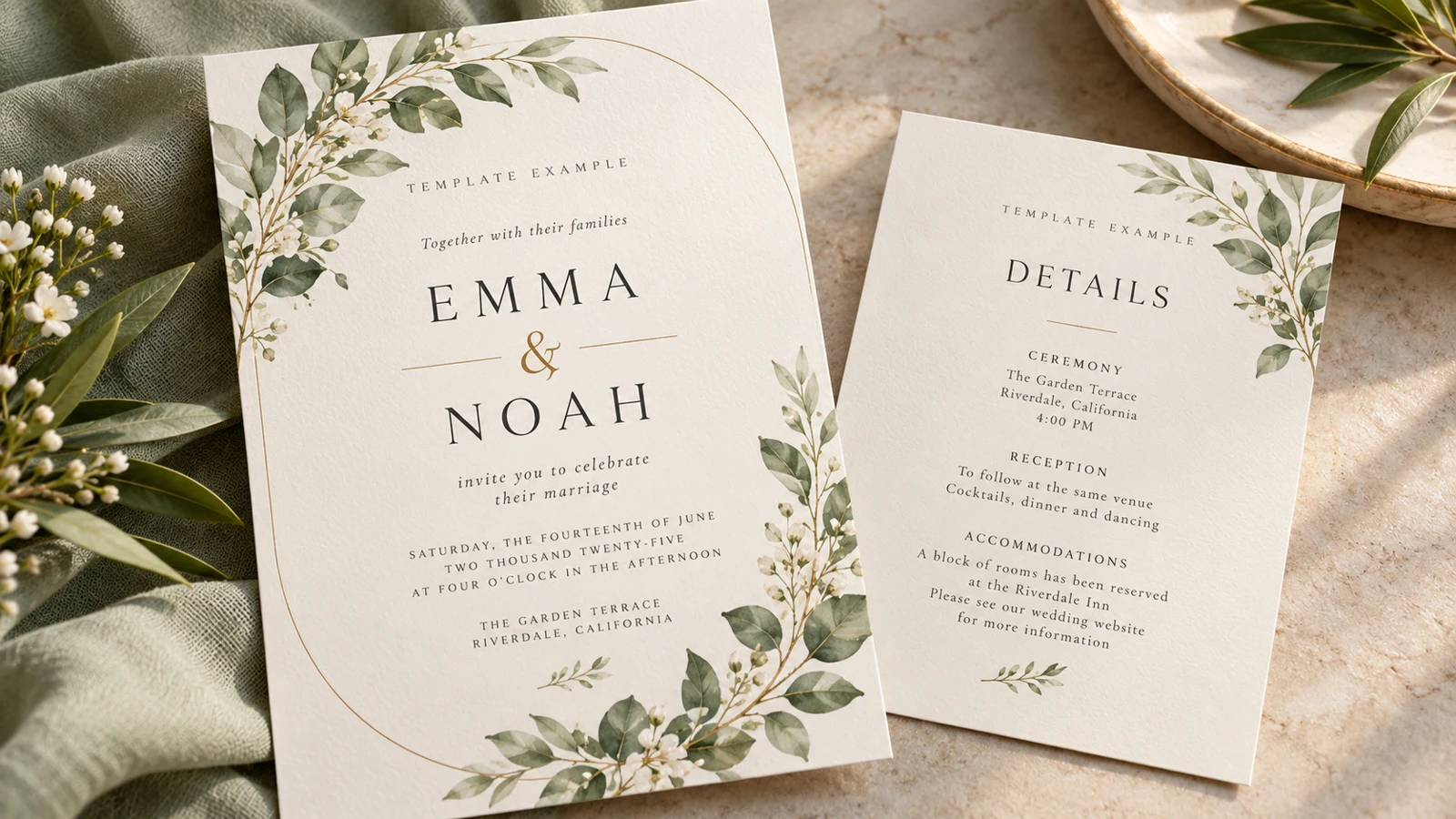
Begin with the files, before designing the storefront. Our example is a wedding invitation and matching details card. Decide which file formats you actually provide, which application opens them, and which elements buyers can edit.
Include a short instruction file. If the package uses a template link, test that the buyer gets their own editable copy without access to your original working file.
Write the offer before decorating
Write a product title that names the deliverable. Then explain who it suits, what is included, and what is not. For this example, printing and custom wording are not included unless you deliberately offer them.
Show a representative preview with sample names clearly identified as examples. The buyer should not need to guess whether this is a finished printed invitation or a digital template.
Create the first digital listing
In VIKOC, establish your store identity, then use the digital product path for the ready-made package. Add the title, introduction, previews, description, and intended price. Upload the customer files through the delivery fields available in your account.
Use the wedding package as a teaching example; check the available fields in your own account. Review every field rather than treating a filled form as a finished store.
Check the files against the promise
Open the exported package in the software you name in the listing. Change the sample names and dates, then check text wrapping and export quality. Make sure any font or illustration you distribute is yours to distribute.
Explain the permitted use of your template in plain language. Avoid claiming universal software compatibility. A successful test in one editor does not prove identical behavior everywhere.
Review the public journey
Open the public page as a visitor. Check the first image, product title, price, and next action on a phone. Confirm the offer's availability and your payment setup before sharing it widely.
If you have not tested a real checkout and delivery, do not describe that part as verified. Start with this one coherent package, and only add more designs once the complete path is clear.
Try it with one real offer
Prepare an invitation and details card. Replace the sample names, export both files, and ask someone else to follow the editing instructions. Record any missing font or unclear step before publishing.
Common questions
What should my first digital product listing include?
Name the files, formats, editing software, permitted use, price and delivery arrangement. Distinguish downloadable templates from printed invitations and optional custom work.
How many products do I need to open a store?
Start with one complete offer whose files and buyer journey you can check. More listings do not compensate for an unclear or unavailable first product.