
The short answer
Sell digital products and services from one store by organizing offers around delivery: ready-made resources, personal feedback and custom work. Use distinct names and requirements. A photography worksheet, portfolio review and editing service illustrate these differences.
Map the photographer’s offers
Think about a photographer. Some followers want editing presets they can use right away. Others want personal feedback on their photos.
And a few may want a custom editing service. A photographer may provide a downloadable editing resource, a portfolio review, and a custom editing service. Start by naming the customer’s task for each one.
The download helps someone work independently. The review provides feedback. The custom service means the photographer does the work.
This is an illustrative offer map, not evidence that every audience wants all three. Choose the one or two you can support well before adding more options to the store.
Explain the download precisely
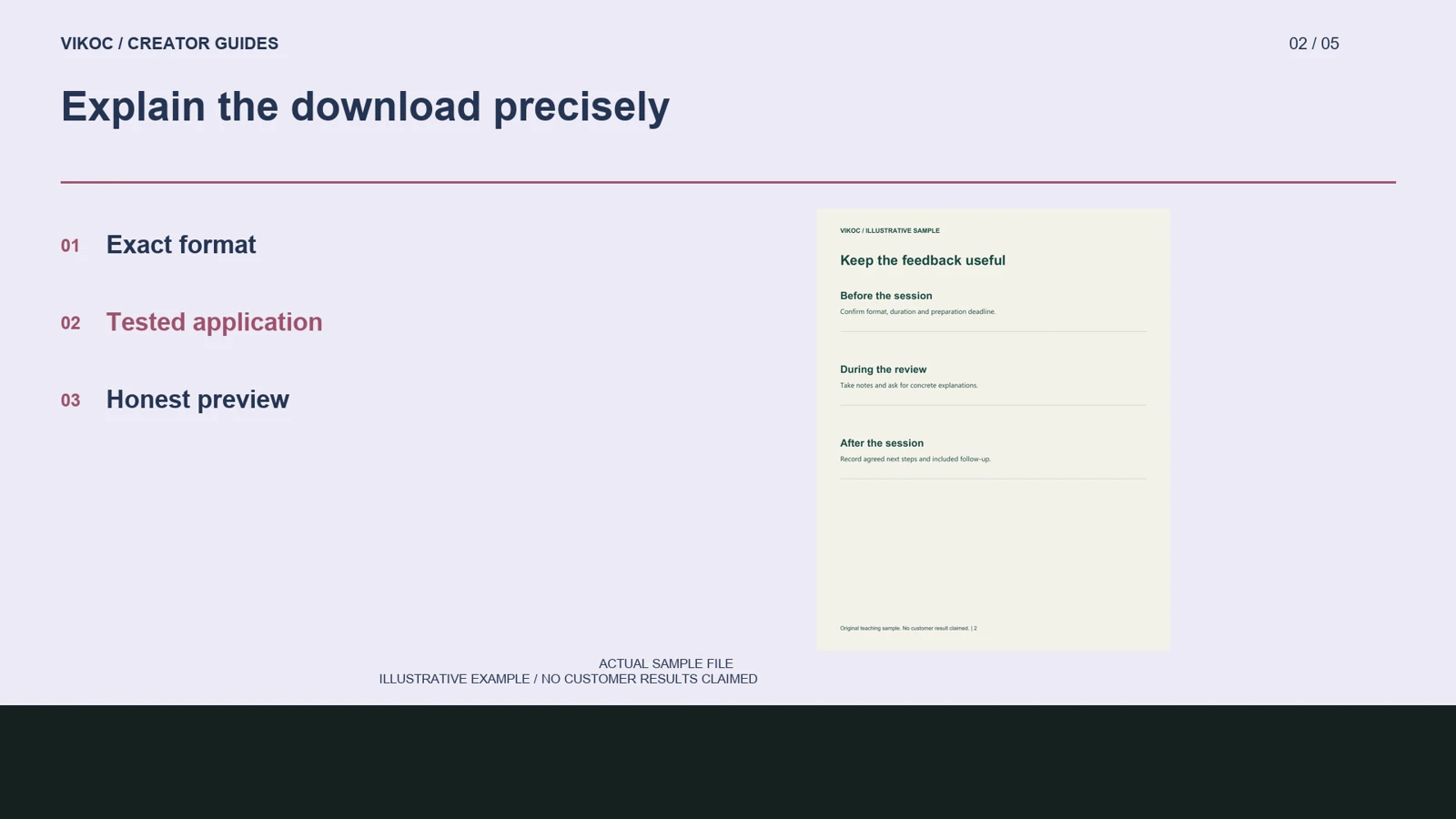
Those are different offers, but they come from the same expertise. If the digital product is a preset pack, identify the file format, installation steps, and the software versions tested. Use a genuine preset applied to an image you have permission to show.
Extra manual edits need to be disclosed in a before-and-after example. A preset does not produce identical results under every lighting condition. If you have not created and tested such files, choose a resource you can verify, such as a photo-review preparation worksheet, instead of promising an untested download.
Separate personalized delivery
In this illustrative store structure, a digital download sits alongside a review session and a clearly described custom service. Each has its own details, price, and next step. For a portfolio review, specify the number of images, feedback format, session length if applicable, and preparation requirements.
For custom editing, specify the supplied source files, output format, turnaround, and revisions. These are separate deliverables, even though both involve personal attention. Do not describe them as immediate downloads.
Keep any booking or request process aligned with the controls your account exposes, and distinguish a submitted request from a confirmed appointment or a paid order.
Use delivery as the organizing principle
A small comparison table can help visitors choose. Label one column ready-made resource, another personal feedback, and a third custom work. Under each, name the deliverable, preparation, and timing.
For a photography creator, a preparation worksheet can demonstrate the download structure without pretending it is an untested preset pack. A review session needs selected photographs and a clear discussion goal. Custom editing needs source files and a defined export.
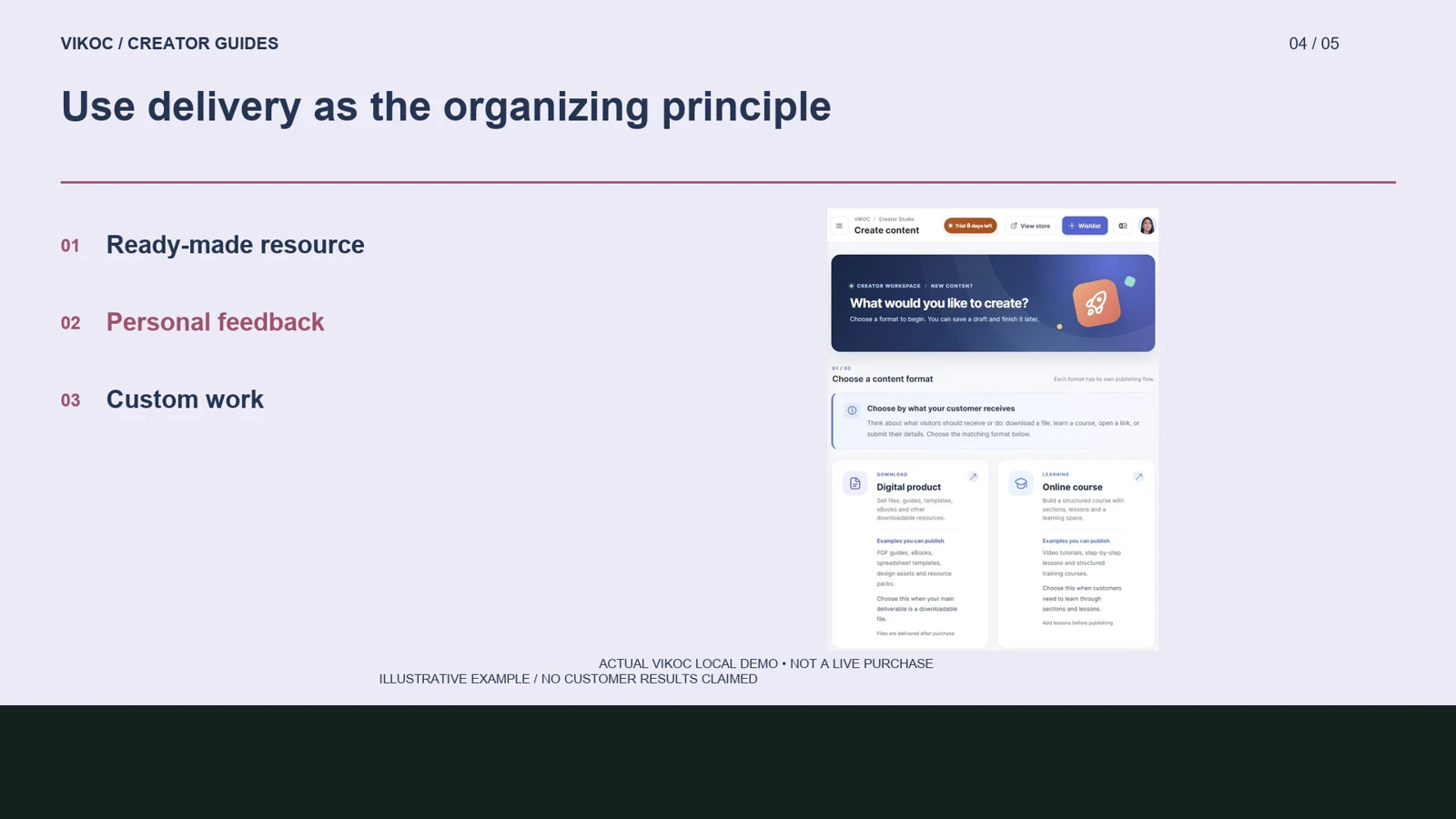
The VIKOC content chooser separates downloadable products from custom products and services, while the custom editor offers several delivery methods. Use the available controls and clearly labeled examples to explain the offer differences. Do not represent those cards as completed customer orders or automatically available services.
Keep the catalog understandable
Use a consistent visual identity but make the titles and delivery labels different enough to scan. A visitor should recognize which option is self-guided and which involves the creator. Inspect each item’s real public page and check its status before linking to it.
More cards do not automatically make a better store. Start with a small catalog, verify the files and service workflow, and add another offer when it answers a different customer need rather than duplicating an existing choice.
Try it with one real offer
Create a three-column offer map for a photographer. For each option, list the deliverable, preparation and timing. Start with the one or two offers whose files and workflows you can verify.
Common questions
Should every offer use the same preview and delivery label?
No. Keep a consistent identity, but distinguish a download from personal feedback or commissioned work. The preview should help visitors understand the actual offer.
How should I verify this in my own VIKOC account?
Compare the available controls with the offer you intend to deliver. Review the public destination as a visitor and record which setup, payment or delivery steps were actually tested. A local demonstration is not proof of a completed customer transaction.