The short answer
To sell a PDF guide online, teach one practical task, show a representative lesson, export a readable file and explain the audience, contents and delivery. A beginner photography guide can focus on window-light portraits instead of promising to teach all of photography.
Choose one practical result
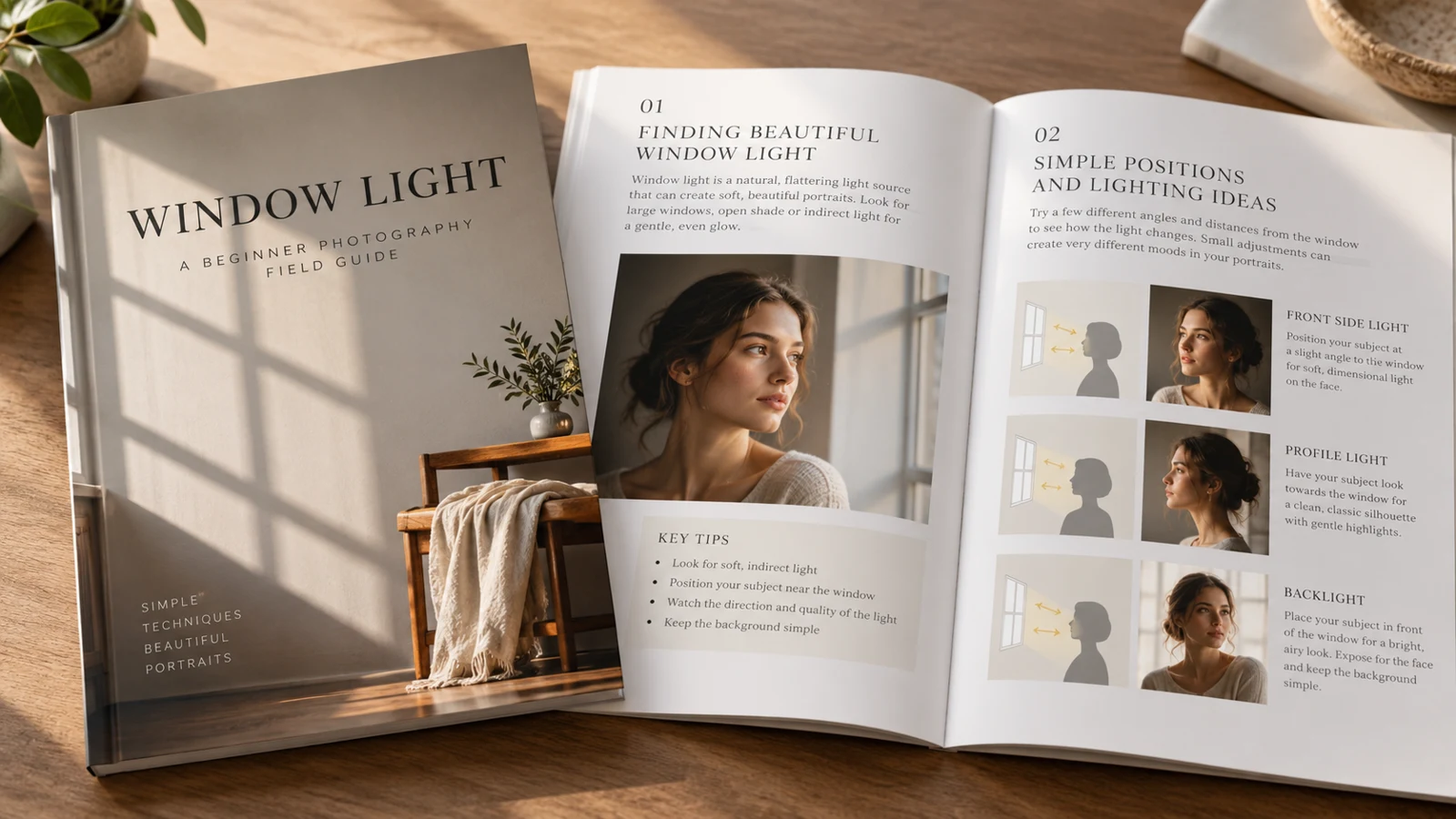
Our guide helps a beginner practice portraits using window light. That is more useful than promising to teach all of photography in a short document. List the decisions the reader must make: where to stand, how to position the subject, and how to review the result.
Build the guide around that exercise. Your description should reflect what the guide teaches, without promising professional results from a single read.
Build a usable sequence
Give each section a simple pattern: explanation, example, and practice. Show what changes when the subject turns toward the window, and tell the reader what to compare. Use photographs you own or have permission to distribute.
Add captions that explain the teaching point, not just the camera settings. A useful exercise gives the buyer a next action instead of a collection of disconnected tips.
Show a representative preview
Let the preview show the level of instruction. Include the contents page, part of a lesson, and an exercise so readers can judge whether the guide fits them. Keep preview files distinct from the paid download.
State the page count and format accurately after export. If the guide assumes a camera with manual controls, make that visible rather than allowing phone-only photographers to discover the limitation after purchase.
| Decision | What to check |
|---|---|
| Weak preview | Only the cover |
| Useful preview | Contents + lesson + exercise |
Prepare a dependable download
Export the PDF and inspect it on a phone and a larger screen. Look for tiny captions, missing images, incorrect page order, and broken links. Use a descriptive filename and a version number when revisions matter.
Avoid placing the only essential instruction behind an external link that might disappear. Keep a copy of the exact version you publish, so future updates can be checked against the product description.
Describe and list the guide
Create a digital product listing in VIKOC and connect the preview to the actual PDF. Explain the audience, contents, equipment assumptions, and permitted use. State whether later updates are included only if you intend to provide them.
Review the delivery configuration and public page before promotion. This guide is a teaching example, not evidence of sales. Its value comes from a clear, usable learning task.
Try it with one real offer
Build a three-part sample: one page explaining window light, one labeled photograph and one practice exercise. Open the exported PDF on a phone and check whether the captions remain readable.
Common questions
What should a PDF guide preview show?
Show a contents page, part of a real lesson and an exercise. These help buyers judge the teaching level more effectively than a cover image alone.
Should the listing promise future PDF updates?
Only if you intend to provide them. State the current version and contents clearly, and keep the exact file associated with each published description.