The short answer
Connect TikTok content to your store by demonstrating the actual product, repeating the same promise on the destination page and maintaining a tested public route. For photography presets, explain compatible software and any extra adjustments instead of suggesting identical results on every image.
Demonstrate the real product
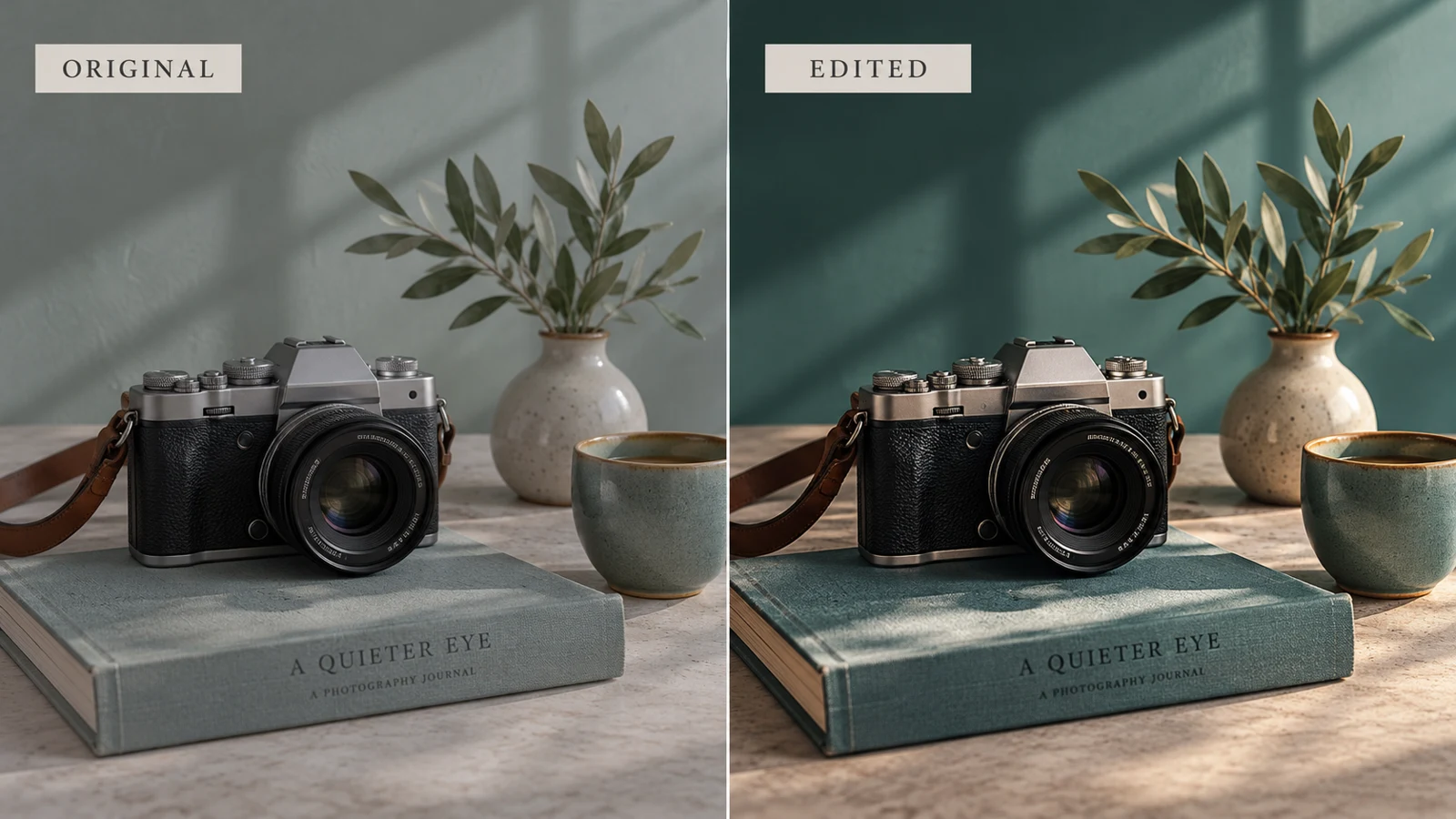
Use a photograph you have permission to show and demonstrate the preset actually included in the pack. If you make extra manual adjustments, say so. A preset will not produce identical results on every photograph because lighting and source files differ.
Explain the intended use and compatible software without promising a one-click result for every image. Keep the before and after comparison honest.
Keep the page promise aligned
The destination should show the same preset pack, with accurate previews and installation instructions. State the file format and the application versions you have tested. Do not demonstrate one editor and deliver files meant only for another without explaining that difference.
A viewer should recognize the offer from the first image and understand the work they will still need to do after downloading it.
Choose a route your account supports
Check the current link options on the TikTok account you will use. Availability can vary, so do not build the entire call to action around an assumed feature. Refer to current official guidance for your account conditions.
When a website link is available, use the public VIKOC product or store destination that matches the video. Otherwise revise the route and instruction to something you can actually provide.
| Decision | What to check |
|---|---|
| Profile | Inspect available link controls |
| Guidance | Check current official help |
| CTA | Match the available route |
Test as a visitor on a phone
Open the route as a visitor, outside your creator editing session. Confirm the destination, loading behavior, and mobile readability. Make sure the link does not expose an editor address or require a creator login.
Repeat the test after changing the product address. If you use tracking parameters, check that they do not break the destination, and do not imply that tracking alone proves which video caused a purchase.
Maintain the connection over time
Keep a simple record of which active videos point to which offer. When a pack changes, review the description and examples used in promotion. If visitors arrive but do not understand the package, improve the page before changing every video.
Use the measures your tools actually provide and keep uncertain attribution separate from confirmed orders. The connection needs maintenance, not just a one-time pasted link.
Try it with one real offer
Demonstrate one preset on a photograph you may publish. Note any manual edits, then check that the linked page shows the same pack, tested software and installation instructions.
Common questions
Why must the destination match the TikTok demonstration?
Matching names, previews and deliverables helps visitors recognize the offer. A different pack or unsupported editor creates confusion about what they will receive.
When should I retest content links?
Retest after changing a product address or offer, and review older active promotions when a package is updated or retired.
For current profile-link options, consult TikTok’s official profile-link guidance and the controls available in your account.