The short answer
Launch your first creator store with one finished offer, a representative preview and a checked public route. A travel-planning workbook should explain its format and use, while payment and delivery readiness are verified separately from the appearance of the page.
Finish one useful offer
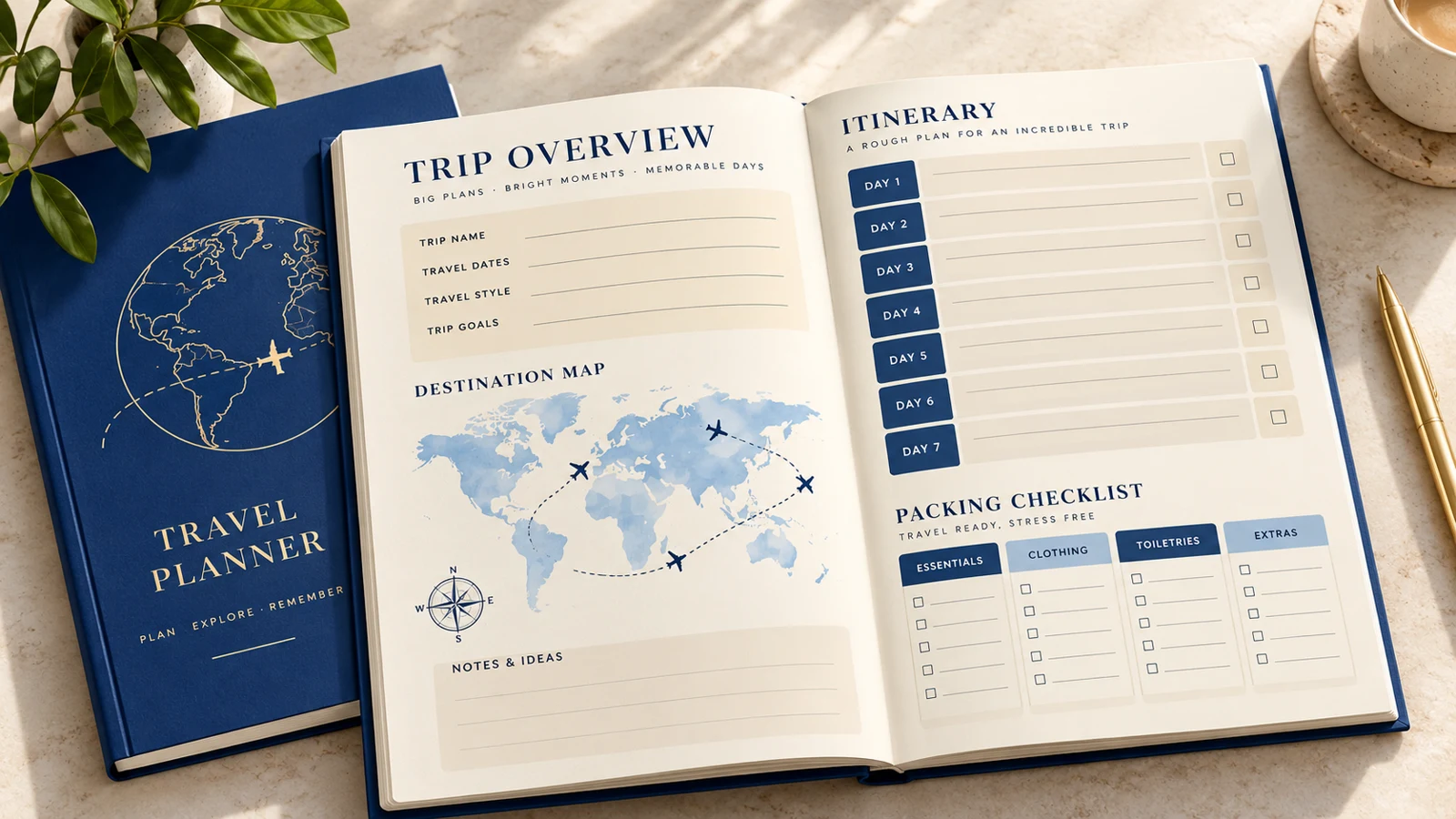
Our example helps someone organize a trip with planning pages and checklists. It does not book accommodation or provide live travel information. Finish the files and define the audience before planning a big launch.
Make the preview representative of the actual package. A small complete offer is easier to check than a catalog of unfinished ideas, and it gives you a clearer first message to share.
Check the product package
Open the exported workbook and check page order, text size, links, and print layout if you describe it as printable. State whether buyers can edit the file or only fill it in. Keep third-party travel links supplementary, since they can change.
Compare the final files with the listing description. A preview made before the last revision can accidentally promise pages that are no longer included.
Review the storefront basics
In VIKOC, review your store identity and the first offer together. The introduction should explain who the workbook helps, and the product title should make the format clear. Check the public contact route you intend buyers to use.
Preview the store on a phone and make sure the next action is visible. Do not confuse a saved draft or creator preview with a public, available product.
Verify readiness before promotion
Check offer availability, payment setup, and the delivery configuration. Where you can perform a permitted test, record exactly what was tested and its result. If you only inspected settings, do not call checkout and delivery verified.
Keep a short launch checklist with unresolved items marked clearly. Delay the promotional promise if a buyer would encounter a broken or unavailable route.
Launch with one specific message
Share one useful demonstration, such as organizing a trip's key details on a single page. Link to the matching public offer using a route available on the channel where you post. Start with a manageable audience so you can respond to questions.
Record visits and real orders only where those measures are available. Use the first responses to improve the explanation, rather than immediately adding more unrelated products.
Try it with one real offer
Audit a travel workbook before sharing it: files, preview, description, public availability and buyer route. Mark each item checked or unresolved, and record what a test actually proved.
Common questions
What should I finish before promoting my store?
Finish the deliverable, align the preview and description, and check availability and the intended buyer route. Resolve anything that prevents customers receiving the promised offer.
Does inspecting payment settings verify checkout?
No. Record a settings review separately from a completed permitted checkout and delivery test. Avoid calling an untested path verified.